
Skip to product information
1 of 1

NVIDIA

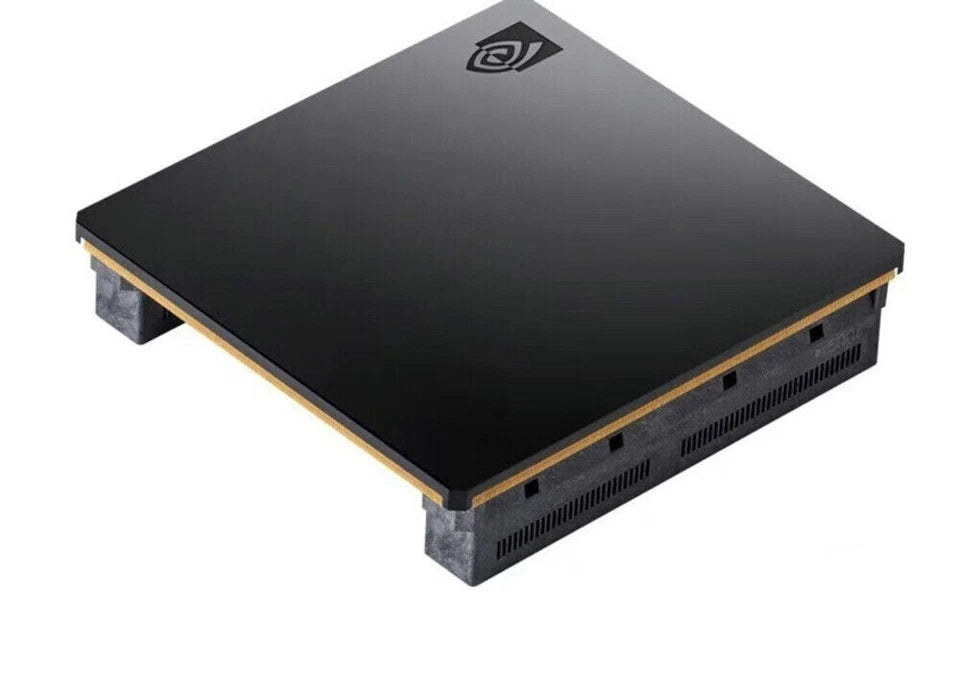
NVIDIA 900-53651-2500-000 | NVLink bridge, 2-slot spacing, 2-way dual-GPU, RTX A6000/A5500/A5000/A4500 compatible

SKU:900-53651-2500-000

Stock Status: Enquire

Regular price $328.90 AUD
Regular price
$328.90 AUD
$328.90 AUD
Regular price
Sale Sold out
Taxes included. Shipping calculated at checkout.

Description

High-bandwidth GPU-to-GPU interconnect bridge designed for professional RTX A-series GPUs installed two slots apart. Enables peer-to-peer memory access and faster multi-GPU workflows in workstations and servers.

Features

- High-bandwidth interconnect for accelerated multi-GPU workflows
- Low-latency peer-to-peer GPU communication
- Supports large dataset and memory pooling scenarios
- Mechanical fit for 2-slot spaced professional GPUs

Warranty

All products sold by XS Network Tech include a 12-month warranty on both new and used items. Our in-house technical team thoroughly tests used hardware prior to sale to ensure enterprise-grade reliability.

All technical data should be verified on the manufacturer data sheets.

View full details
specs-tabs

Collapsible content

Technical Specifications

FAQs

Technical Specifications

- Type: GPU-to-GPU NVLink bridge
- GPU compatibility: RTX A6000, RTX A5500, RTX A5000, RTX A4500 (pair identical GPUs only)
- Configuration: 2-way (dual-GPU)
- Slot spacing: 2-slot
- Interface: NVLink edge connectors on GPUs (does not consume a PCIe slot)
- Use case: Memory pooling and high-speed peer-to-peer between paired GPUs
- System requirements: Supported motherboard/chassis with two compatible GPUs and current drivers
- Note: Not compatible with GPUs lacking NVLink connectors (e.g., RTX A4000 or many consumer GPUs)

FAQs

Q: How do I know if I need a 2-slot or 3-slot NVLink bridge?
A: Count the physical slot spaces between the two GPUs. If the cards are two slots apart, use a 2-slot bridge; if three slots apart, use a 3-slot bridge.

Q: Can I link different GPU models together?
A: No. NVLink bridges require two identical supported GPUs (same model and memory size).

Q: Does the bridge occupy a PCIe slot?
A: No. It connects to the NVLink fingers on top of the GPUs and does not use a motherboard slot.

Q: Is special software required?
A: Install current professional GPU drivers. Applications that support multi-GPU and NVLink can then leverage the interconnect.

  • Related products

Recently Viewed

  • Request a Quote

    Looking for competitive pricing? Submit a request, and our team will provide a tailored quote that fits your needs.

  • Contact Us Directly

    Have a question or need immediate assistance? Call us for expert advice and real-time support.

    Call us Now  
  • Contact Us Directly

    Have a question or need immediate assistance? Call us for expert advice and real-time support.

    Contact us