
Skip to product information
1 of 1

Cisco

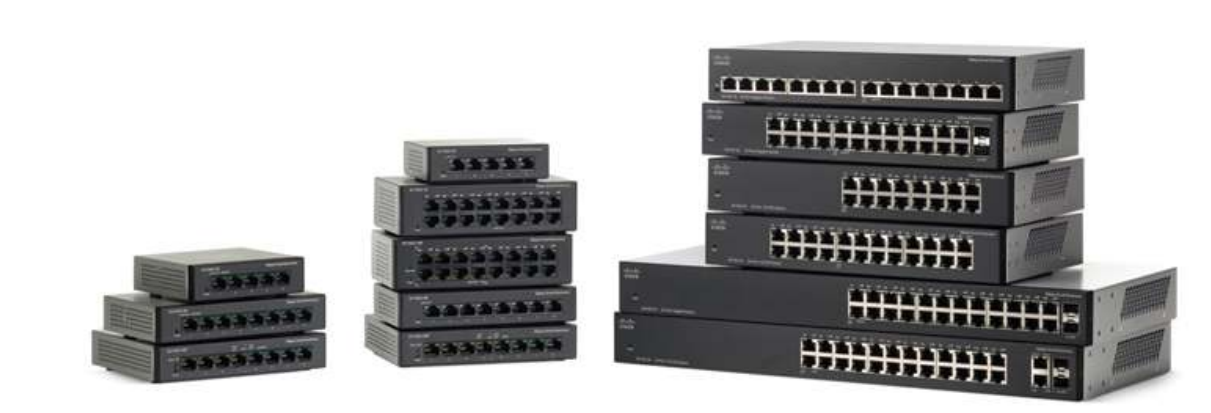
Cisco SF100D-16P | 16x 10/100 FE desktop switch, PoE (802.3af), unmanaged; uplinks: none dedicated; license: none required

SKU:SF100D-16P

Regular price POA
POA
POA
Sale Sold out
Taxes included. Shipping calculated at checkout.

Description

Compact, plug-and-play Fast Ethernet switch for small offices that need simple connectivity with inline power for IP phones, cameras, and access points. Provides 10/100 Mbps on all ports with automatic negotiation, fanless silent operation, and desktop or wall-mount flexibility.

Features

- 16 Fast Ethernet ports for essential desktop connectivity
- 802.3af PoE to power IP phones, APs, and cameras
- Fanless, silent operation for noise-sensitive spaces
- Automatic speed/duplex and MDI/MDIX for easy setup
- Energy-efficient operation with IEEE 802.3az
- Compact desktop design with wall-mounting option

Warranty

All products sold by XS Network Tech include a 12-month warranty on both new and used items. Our in-house technical team thoroughly tests used hardware prior to sale to ensure enterprise-grade reliability.

All technical data should be verified on the manufacturer data sheets.

View full details
specs-tabs

Collapsible content

Technical Specifications

FAQs

Technical Specifications

- Ports: 16x 10/100 Mbps RJ45 (auto-negotiation, auto MDI/MDIX)
- PoE: IEEE 802.3af on select ports (inline power for endpoints)
- Uplinks: none dedicated (any port can be used)
- Management: Unmanaged, zero-configuration
- Switching: Wire-speed forwarding on all ports
- Design: Fanless, silent desktop form factor
- Mounting: Desktop or wall-mount
- Energy: IEEE 802.3az Energy Efficient Ethernet support

FAQs

Q: Is this switch managed?
A: No, it is an unmanaged plug-and-play Fast Ethernet switch.

Q: What PoE standard does it support?
A: It supports IEEE 802.3af (PoE) for powering compatible devices.

Q: Are all ports PoE-capable?
A: PoE is available on select ports; non-PoE ports provide data only.

Q: Does it have a dedicated uplink port?
A: No, any port can be used as an uplink to another switch or router.

  • Related products

Recently Viewed

  • Request a Quote

    Looking for competitive pricing? Submit a request, and our team will provide a tailored quote that fits your needs.

  • Contact Us Directly

    Have a question or need immediate assistance? Call us for expert advice and real-time support.

    Call us Now  
  • Contact Us Directly

    Have a question or need immediate assistance? Call us for expert advice and real-time support.

    Contact us