
Skip to product information
1 of 1

Cisco

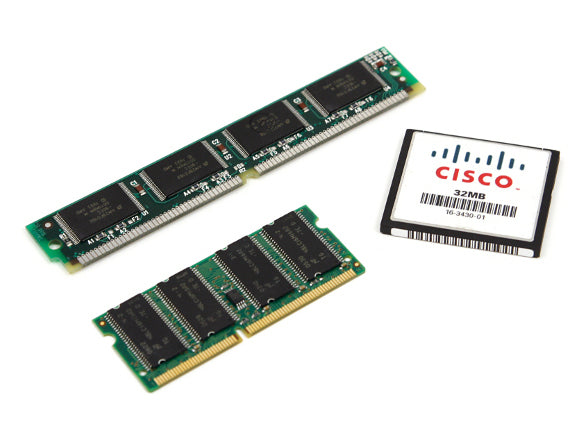
Cisco MEM-C6K-CPTFL128M | 128MB CompactFlash (CF) | for Catalyst 6000/6500 Supervisor | disk0: storage

SKU:MEM-C6K-CPTFL128M

Regular price POA
POA
POA
Sale Sold out
Taxes included. Shipping calculated at checkout.

Description

Increase supervisor storage on Catalyst 6000/6500 with a 128 MB CompactFlash card for image management, backups, and recovery media. Ideal for maintaining multiple software versions and on-box archives. Installation is plug-in to the supervisor CF slot, followed by optional format and file copy operations.

Features

- Adds 128 MB removable CF storage to supervisor
- Supports image lifecycle management and backups
- Quick, non-disruptive installation steps
- Enhances recovery readiness on legacy platforms
- Proven reliability for enterprise deployments

Warranty

All products sold by XS Network Tech include a 12-month warranty on both new and used items. Our in-house technical team thoroughly tests used hardware prior to sale to ensure enterprise-grade reliability.

All technical data should be verified on the manufacturer data sheets.

View full details
specs-tabs

Collapsible content

Technical Specifications

FAQs

Technical Specifications

- Capacity: 128 MB
- Media type: CompactFlash (CF)
- Typical mount: disk0:/disk1: on supported supervisors
- Platform compatibility: Catalyst 6000/6500 Supervisor Engines with CF slot
- Primary use: Store software images, configs, and logs
- Management: Supports standard flash file system commands
- Installation: Insert CF card; format if needed; copy images/configs

FAQs

Q: Which supervisors accept CompactFlash?
A: Use on Catalyst 6000/6500 supervisors that provide a CompactFlash slot. Check your specific supervisor model’s storage options.

Q: Can I boot from disk0:?
A: Many supervisors allow boot statements pointing to disk0:. Verify with your platform’s software documentation.

Q: What file system is used?
A: The device manages the CF with its supported flash file system. Format via CLI if the card is unrecognized.

Q: Is this hot-swappable?
A: Plan a maintenance window and follow platform guidance; assume no hot-swap to avoid corruption.

Q: How do I check available space?
A: Use file system commands (e.g., dir disk0:) after installation.

  • Related products

Recently Viewed

  • Request a Quote

    Looking for competitive pricing? Submit a request, and our team will provide a tailored quote that fits your needs.

  • Contact Us Directly

    Have a question or need immediate assistance? Call us for expert advice and real-time support.

    Call us Now  
  • Contact Us Directly

    Have a question or need immediate assistance? Call us for expert advice and real-time support.

    Contact us