
Skip to product information
1 of 1

Cisco

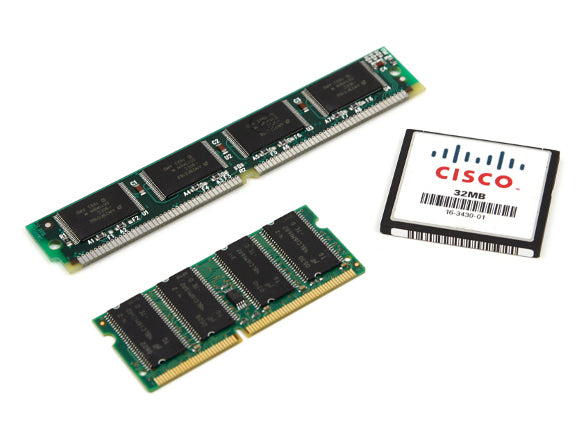
Cisco MEM-C6K-ATA-1-64M | 64MB ATA PCMCIA Flash | for Catalyst 6000/6500 Supervisor | slot0: bootflash

SKU:MEM-C6K-ATA-1-64M

Regular price POA
POA
POA
Sale Sold out
Taxes included. Shipping calculated at checkout.

Description

Add 64 MB of ATA PCMCIA flash to Catalyst 6000/6500 supervisor engines to expand bootflash capacity for images and recovery files. Ideal for maintaining multiple software images, backups, and emergency recovery utilities on legacy platforms. Installation typically involves inserting the card into the PCMCIA slot and reloading to recognize new media if required.

Features

- Expands supervisor bootflash capacity to 64 MB
- ATA PCMCIA media for legacy Catalyst 6000/6500
- Supports multiple software images and backups
- Simple installation and management
- Reliable removable storage for recovery workflows

Warranty

All products sold by XS Network Tech include a 12-month warranty on both new and used items. Our in-house technical team thoroughly tests used hardware prior to sale to ensure enterprise-grade reliability.

All technical data should be verified on the manufacturer data sheets.

View full details
specs-tabs

Collapsible content

Technical Specifications

FAQs

Technical Specifications

- Capacity: 64 MB
- Media type: ATA Flash (PCMCIA/PC Card)
- Typical mount: slot0: (bootflash) on supported supervisors
- Platform compatibility: Catalyst 6000/6500 Supervisor Engines with PCMCIA slot
- Use cases: Store system images, configs, and recovery files
- File operations: Supports standard flash file system commands
- Install: Insert into PCMCIA slot; may require reboot to detect

FAQs

Q: Which supervisors support this PCMCIA ATA flash?
A: It is intended for Catalyst 6000/6500 supervisors that provide a PCMCIA slot. Verify your specific supervisor model’s storage options.

Q: Can I boot directly from this card?
A: Many supervisors support specifying boot system images from slot0:. Confirm using your platform’s software documentation.

Q: Do I need to format the card?
A: If the card is not recognized or you want a clean layout, format it with the device’s flash file system tools.

Q: Is hot-swap supported?
A: Treat the card as non–hot-swappable for safety. Use a maintenance window and follow platform procedures.

Q: How do I verify capacity after installation?
A: Use device file system commands (e.g., dir slot0:) to confirm available space.

  • Related products

Recently Viewed

  • Request a Quote

    Looking for competitive pricing? Submit a request, and our team will provide a tailored quote that fits your needs.

  • Contact Us Directly

    Have a question or need immediate assistance? Call us for expert advice and real-time support.

    Call us Now  
  • Contact Us Directly

    Have a question or need immediate assistance? Call us for expert advice and real-time support.

    Contact us