







Cisco CAB-CONSOLE-USB-C | USB-A to USB-C Console Cable, USB 2.0
SKU:CAB-CONSOLE-USB-C
Stock Status: Enquire
Request Quote
Shipping calculated at checkout.
20-min response
Need a quote or bulk pricing? Answered within 20 minutes, Sydney business hours.
Description
Description
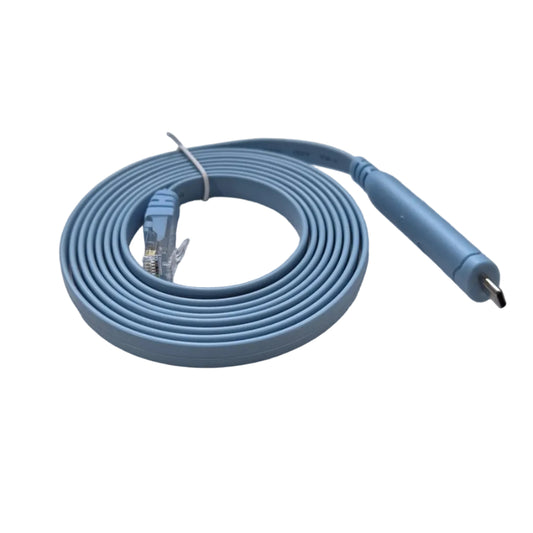
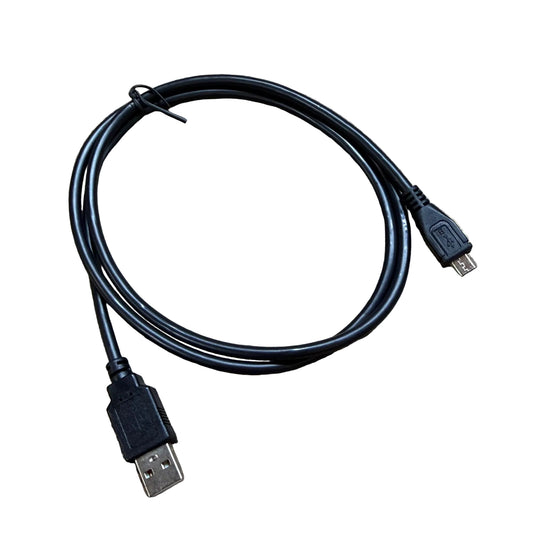
This console cable has a USB Type-A connector at one end and a USB Type-C connector at the other. It gives network engineers a direct local connection for out-of-band management of Catalyst 1000 and Catalyst 9000 series switches that provide a USB-C console port.
The cable runs over USB 2.0 and lets a laptop or management PC with a USB-A port reach the switch console for initial configuration, password recovery, troubleshooting and software image work, without needing network connectivity to the device. It is a practical spare to keep in a toolkit or at a remote site.
Enquire with XS Network Tech for new or used pricing and availability.
Features
Features
Warranty
Warranty
All technical data should be verified on the manufacturer data sheets.
View full details
What is the difference between add to cart and request a quote?
Add to Cart lets you purchase in-stock products immediately at listed pricing.
Request a Quote is for customised pricing, volume-based deals, or orders that need a tailored response.
specs-tabs
Collapsible content
Technical Specifications
FAQs
Find the Right Cable
Technical Specifications
FAQs
Find the Right Cable
Related Products
-
 Vendor:Blue Cable CoThe CAB-CONSOLE-USB-RJ45 is a USB-A to RJ45 console cable, compatible with the Cisco CAB-CONSOLE-USB...
-

 Vendor:Blue Cable CoThe Blue Cable Co CAB-CONSOLE-RJ45-BCC is a drop-in compatible replacement for the Cisco CAB-CONSOLE...
-

 Vendor:Blue Cable CoThe CAB-CONSOLE-USB-C-RJ45 is a USB-C to RJ45 console cable, built as the USB-C equivalent to the Ci...
-
 Vendor:Blue Cable CoBlue Cable Co CAB-CONSOLE-USB-BCC is a USB console cable designed to connect a laptop or console PC ...
-
 Vendor:Juniper
Juniper JNP-CBL-RJ45-USBA | RJ45 to USB-A Console Cable, 1.8 m, 28 AWG, Black
JNP-CBL-RJ45-USBA
Stock Status: Enquire
Vendor:JuniperThe JNP-CBL-RJ45-USBA is an active console cable with a USB 2.0 Type-A plug on one end and an RJ45 p... -

 Vendor:Blue Cable CoThe Blue Cable Co CAB-USB-UB-BCC is a drop-in compatible replacement for the Cisco CAB-USB-UB consol...
-
 Vendor:Blue Cable Co
R9J32A-BCC | Blue Cable Co 1.8 m USB-A to USB-C Console Cable – Compatible with HPE Aruba R9J32A (Black)
R9J32A-BCC
In stock
Vendor:Blue Cable CoOverviewBlue Cable Co’s 1.8 m USB‑A to USB‑C console cable offers hassle‑free connection for HPE Aru... -
 Vendor:ArubaThe X2C2 RJ45 to DB9 console cable is a serial rollover cable for Aruba networking environments. It ...


-

Request a Quote
Looking for competitive pricing? Submit a request, and our team will provide a tailored quote that fits your needs.

